 Cron Shortcuts
Support
Questions, bugs or ideas? Write to support@cronshortcuts.com. Please include your iOS version and, if a job misbehaves, its schedule.
Connect a job to Shortcuts
Cron Shortcuts sends a notification whenever a job is due. A Shortcuts automation reacts to that notification and runs your actions. You set this up once per job. Prefer a head start? Get the shortcut template.
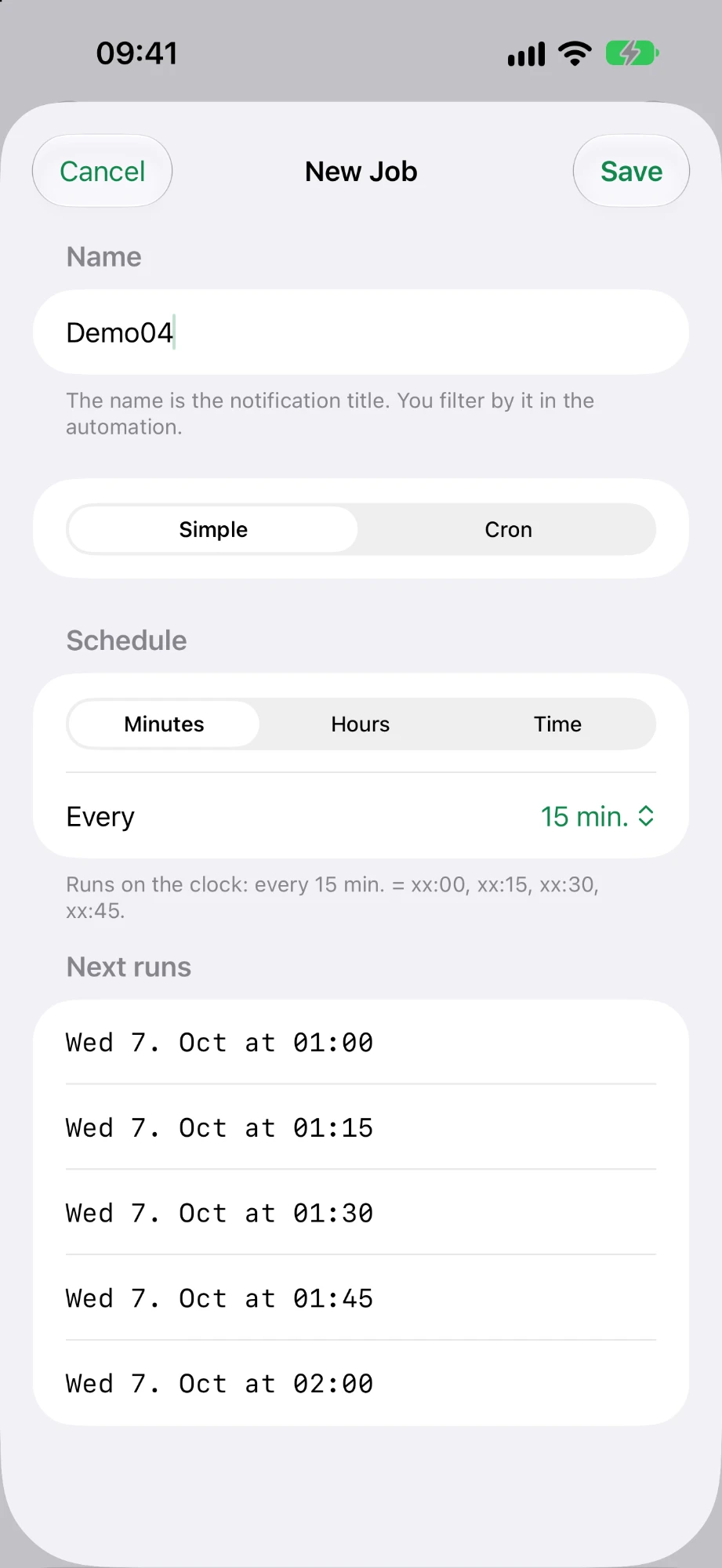
In Cron Shortcuts, create a job. Its name becomes the notification title.
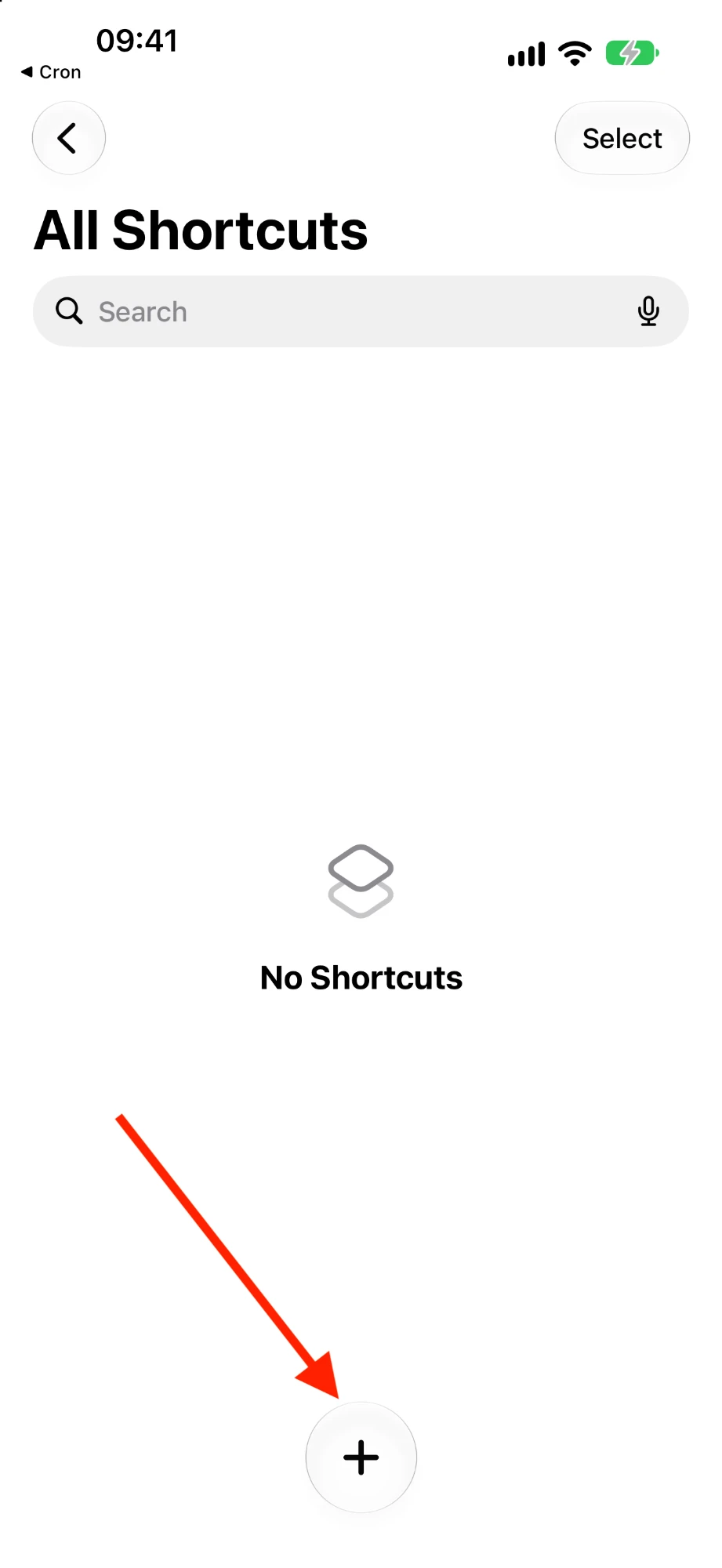
Open the Shortcuts app and tap +.
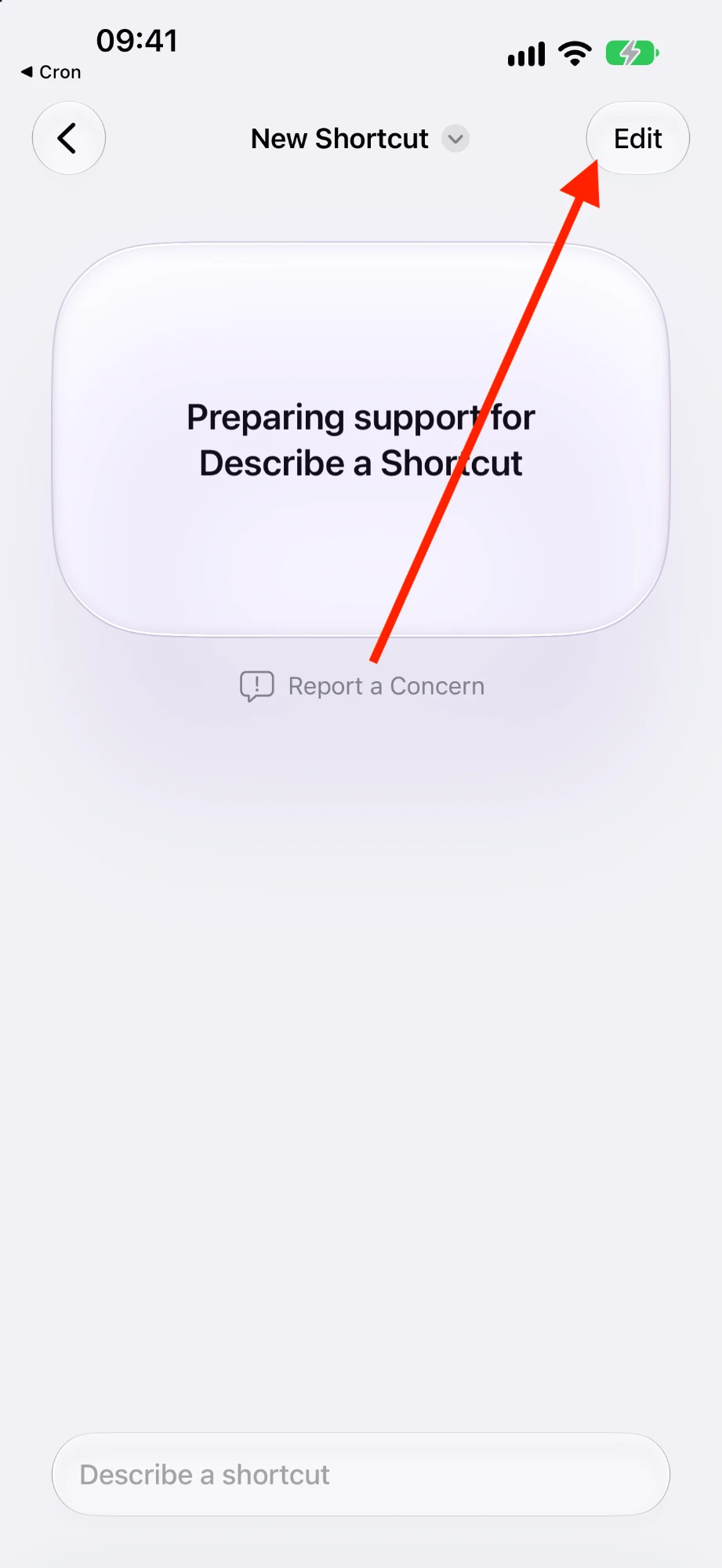
If “Describe a Shortcut” appears, tap Edit.
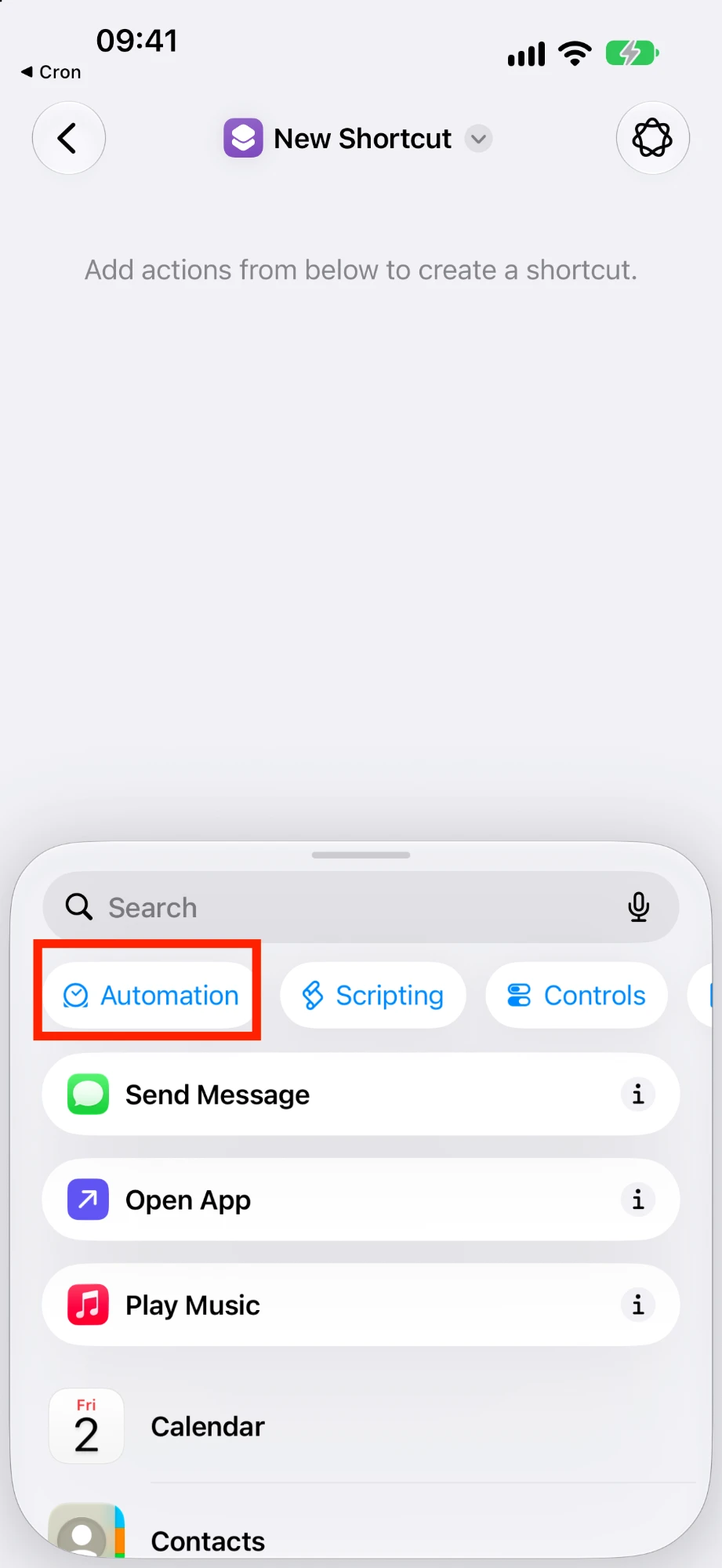
Tap Automation.
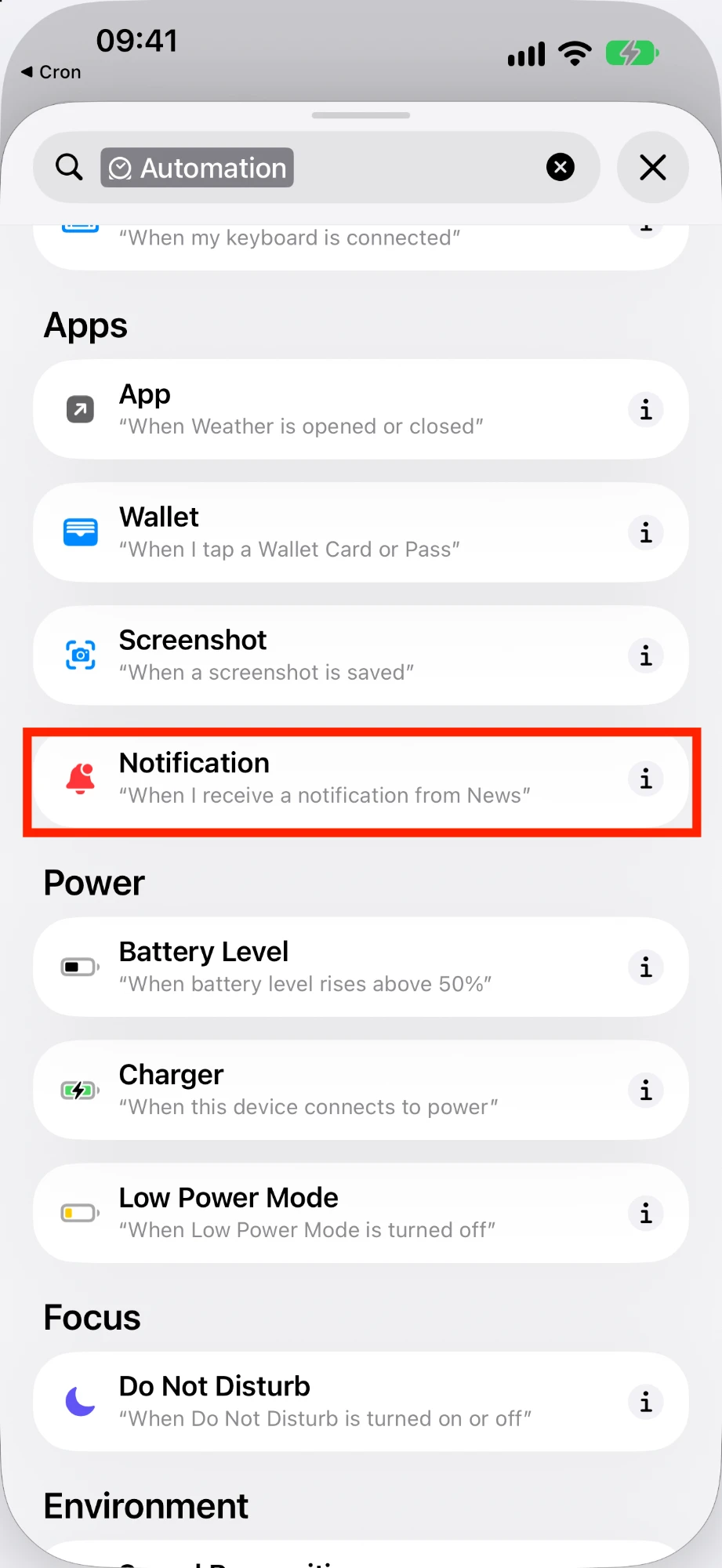
Choose Notification.
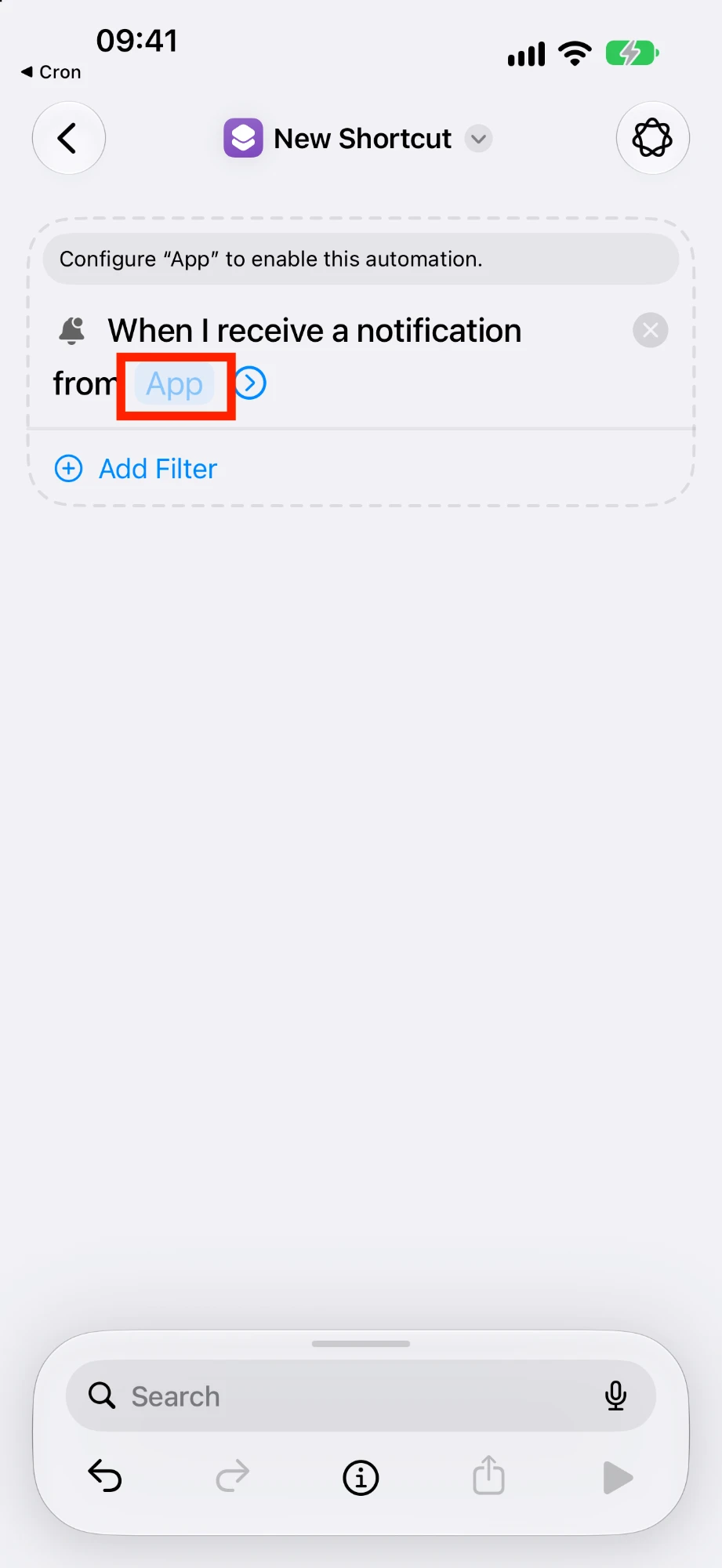
Tap App and select Cron.
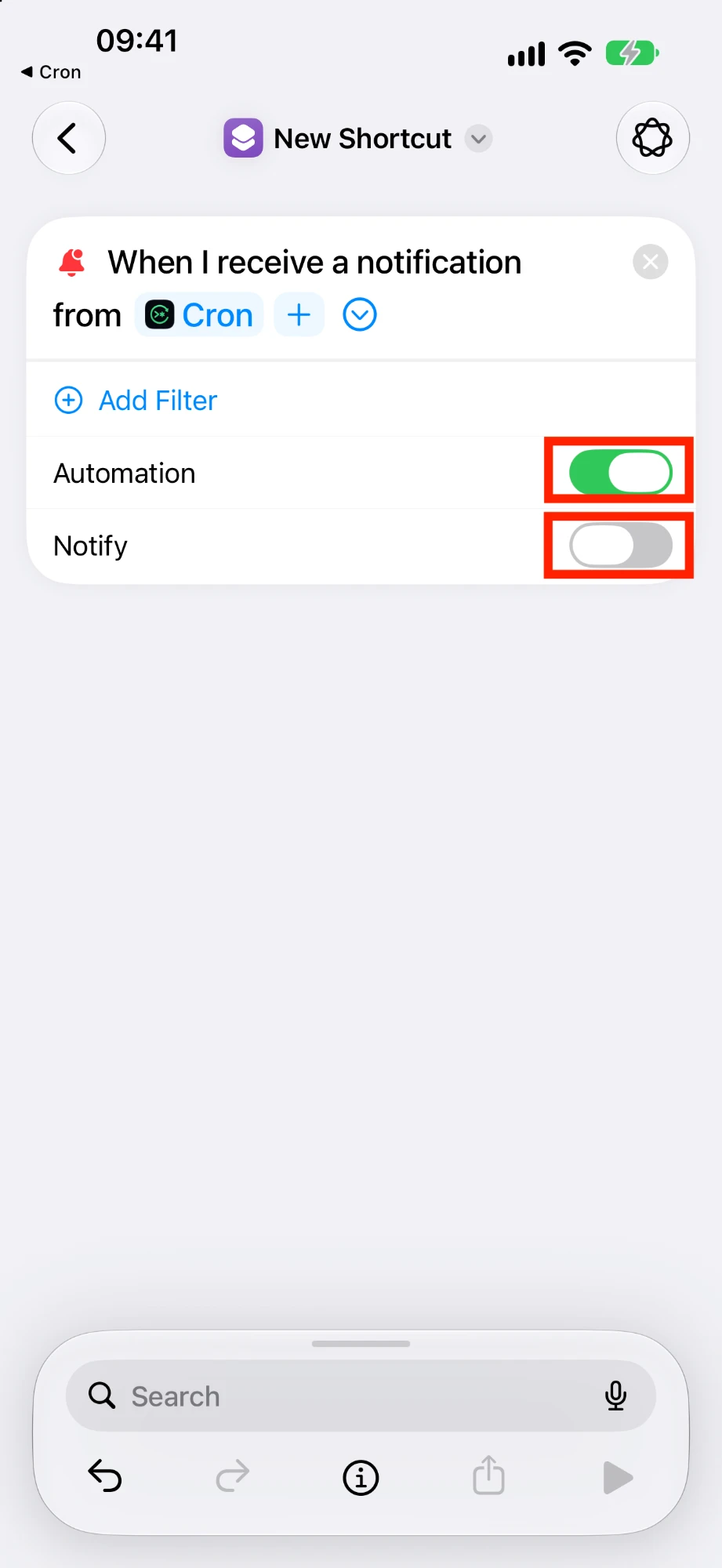
Turn Automation on and Notify off. With several jobs, use Add Filter to match the job name.
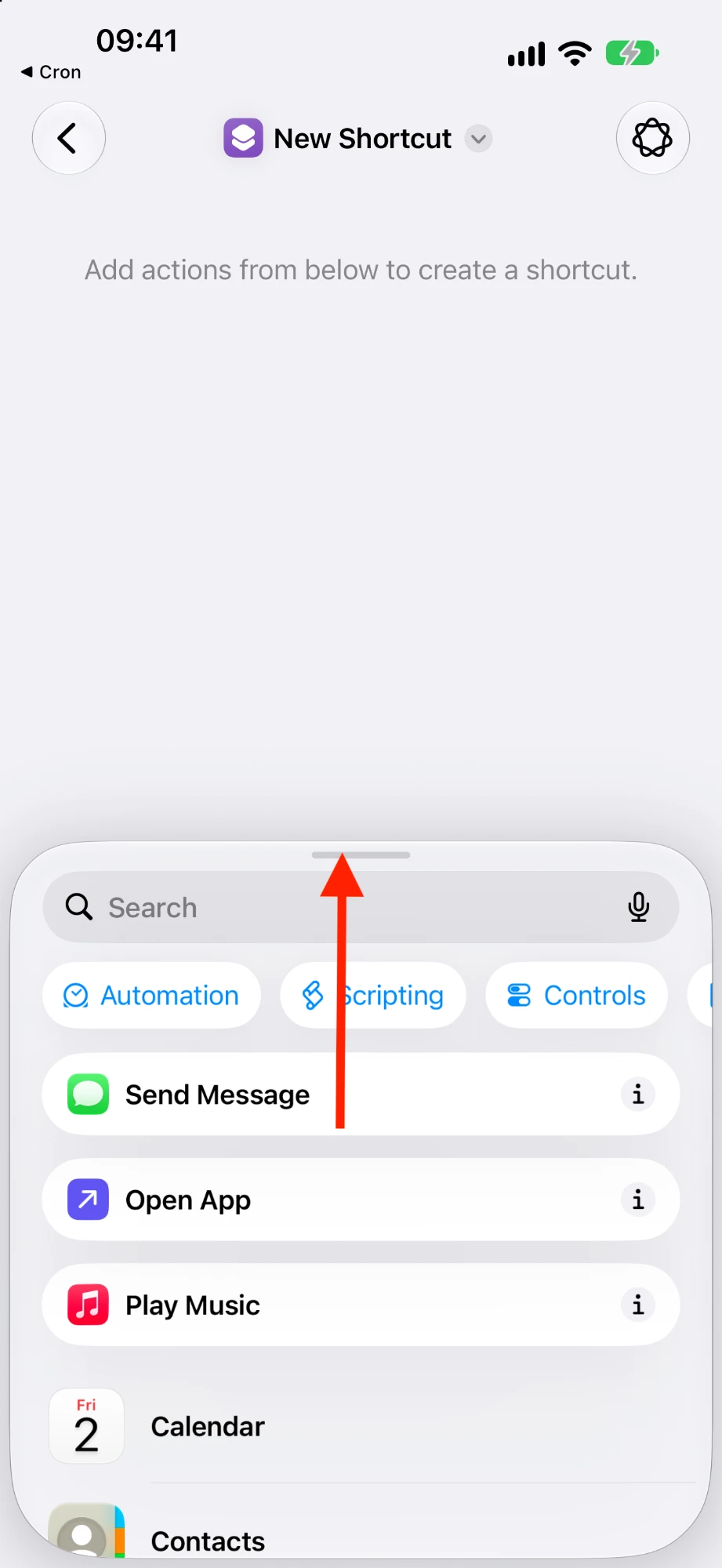
Pull up the action panel and add the actions you want to run first.
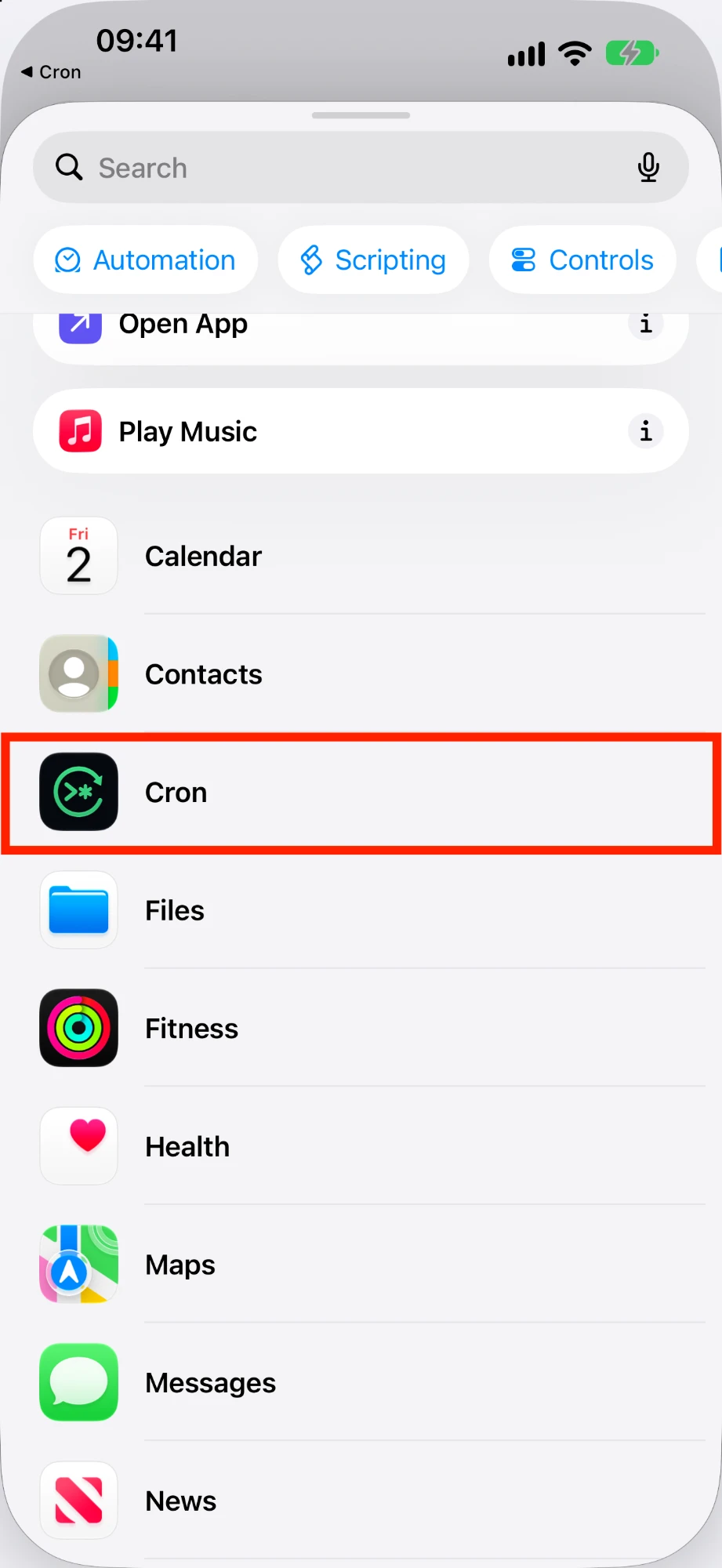
Scroll down in the panel and tap Cron …
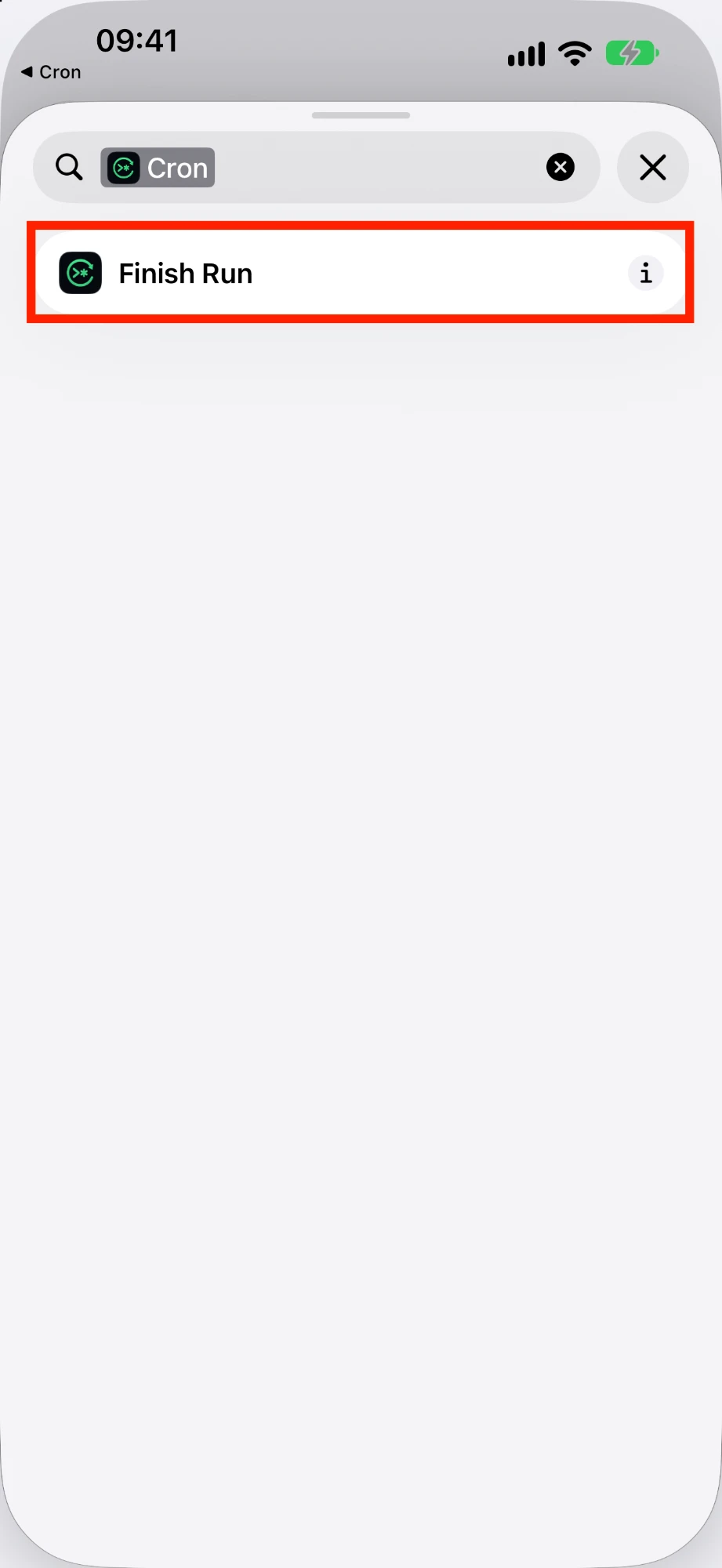
… and add Finish Run as the last action.
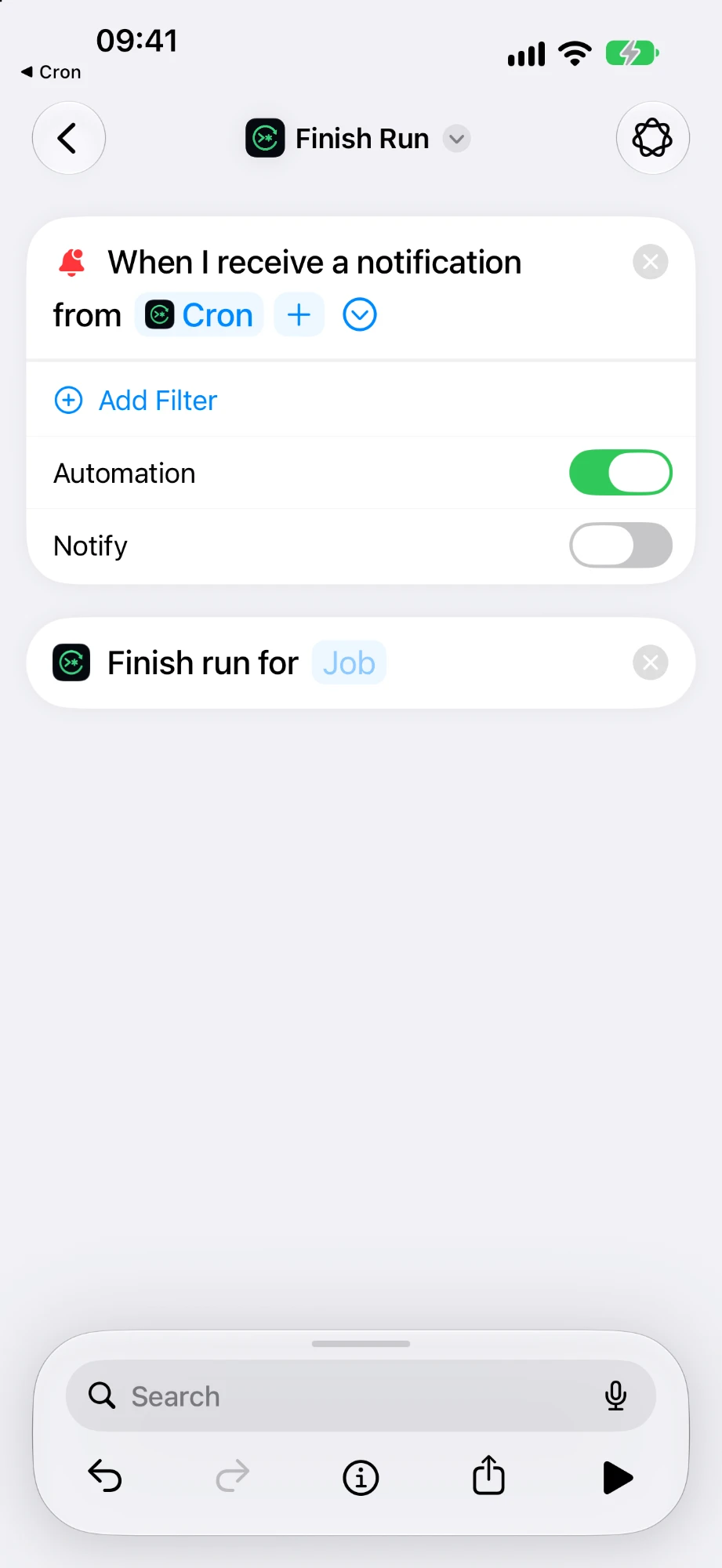
Pick your job in Finish run for. Done.
Frequently asked questions
- My job doesn't run.
- Check that notifications are allowed for Cron Shortcuts in iOS Settings, that the automation is switched on in Shortcuts, and – if you use a filter – that it matches the job name exactly.
- What does “Run at … is missing” mean?
- The app expected a run at that time but the automation never reported back. Make sure Finish Run is the last action of your automation and that the right job is selected.
- What does a cron expression look like?
- Five fields: minute, hour, day of month, month, weekday. For example
0 8 * * 1-5runs on weekdays at 8:00,*/15 * * * *every 15 minutes. - Do intervals start when I save the job?
- No, they run on the clock: “every 15 minutes” means xx:00, xx:15, xx:30 and xx:45.
- Does the app collect any data?
- No. See the privacy policy.